
Everything your practice runs on.
One connected workspace, so the work is recorded once and shows up everywhere it matters.
Your projects.
Clarity from concept to completion. Everything tied to the project, nothing floating in inboxes.
Project stages and deliverables
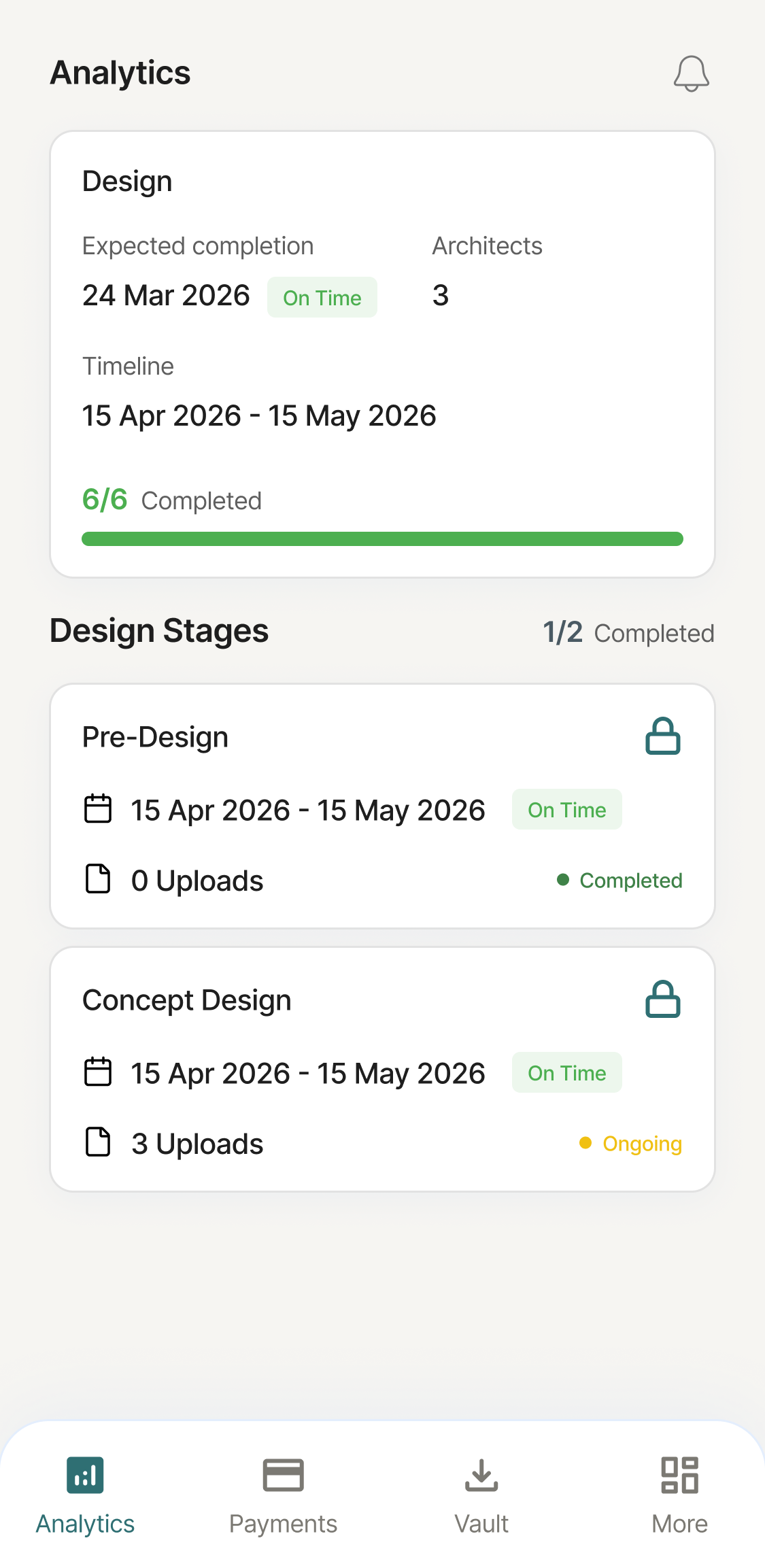
Structure every project into clear stages, from concept through to completion. Define deliverables for each stage. See what has been done and what is pending across every active project at any time.
Task management
Create and assign tasks tied to project stages. Track progress across your team at a glance. Keep execution moving steadily without constant follow-ups or status meetings.
Documents and drawings
Store all project files in one organized space. Drawings, BOQs, site photos, contracts, consultant documents. Full version history on everything. Accessible from any device, anytime.

Your finances.
Know where your money stands. Always. Every invoice, every expense, tied to the project it belongs to.

Invoicing and payments
Create invoices linked to project stages. Track what has been paid, what is pending, and what is overdue. Stop chasing payments from memory or spreadsheets.
Expense tracking
Log project expenses as they happen. See where money is going across all active projects. Nothing slips through the cracks at the end of the month.
Studio insights
See profitability across projects and clients. Understand where your time and effort are actually going. Make decisions based on a clear picture, not end-of-year surprises.
Your people.
Clients informed. Team in sync. One clean space for everyone working on the project.
Client collaboration
Share project updates, drawings, and revisions with clients in one clean space. Collect approvals and feedback without long email threads or digging through WhatsApp for that one message from three weeks ago. Clients access everything from a dedicated mobile app. Available on iOS and Android.
Team visibility and attendance
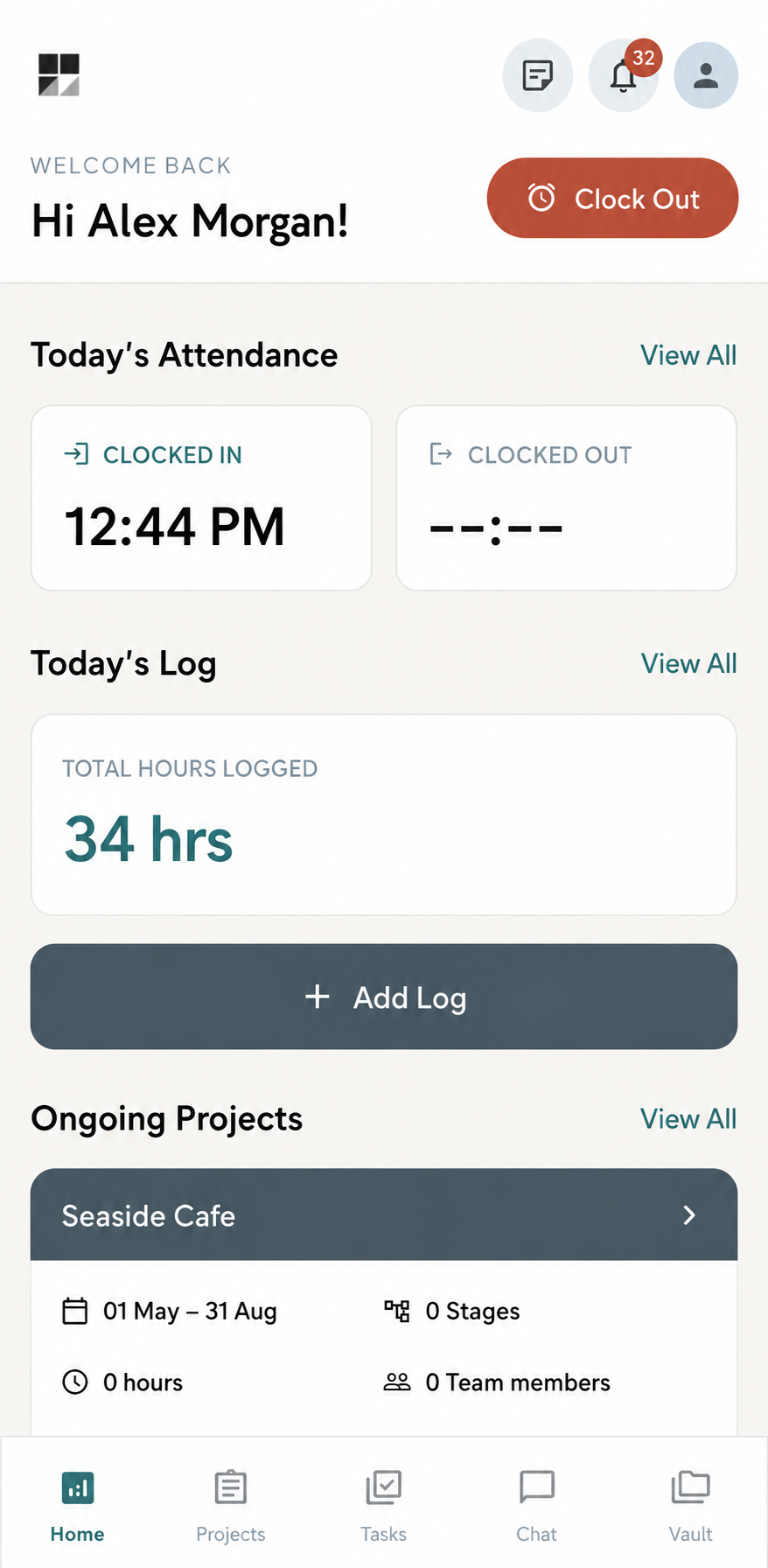
Simple attendance tracking that fits naturally into the daily workflow. See who is available, who is on which project, and where workload is building before it becomes a problem. Team members log attendance and manage tasks from a dedicated mobile app. Works from the office or from site.
Your enquiries.
Every enquiry, followed through, from the first conversation to a signed project.
Pipeline
See every lead, where it stands and what happens next.
Straight into a project
When you win the job, the project is created with the details already in place.
Bring in what you have
Import your existing leads, and export them whenever you need to.

Your sites.
From drawing to site, for projects where you also take on construction or PMC.

Site progress
Daily progress from site, recorded against the same project the design lives in.
Vendors and payments
Who is working on site, and what each of them has been paid.
Schedule and quality
The work schedule, snags and quality checks, followed through to closure.
An assistant that knows your practice.
Ask a question and get the answer in a sentence. Say what needs doing, and Iris confirms before saving anything. It works only from your own data, and shows each person only what they are allowed to see.

See it on your own projects.
A short walkthrough, or start free on your own.